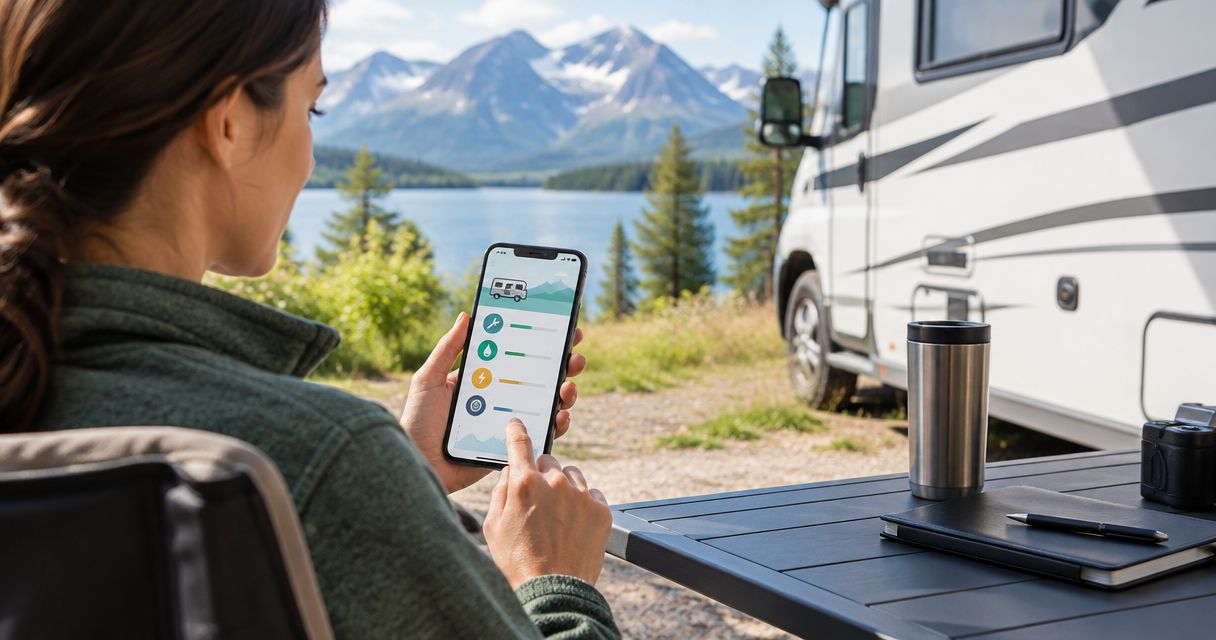
Best overall for a customizable boat maintenance log: Google Sheets. Best for keeping service history alongside vehicle photos and stories: Moterno. Best for a notebook-style record: Microsoft OneNote. This 2026 guide compares the workflows behind each choice, so you can pick a boat maintenance log app you will actually keep updated.
- Google Sheets is the best boat maintenance log app for owners who want a customizable service table.
- Moterno suits owners who want service history, documents, photos, and vehicle stories together.
- Microsoft Excel suits desktop record-keeping; Microsoft OneNote suits receipt-heavy maintenance notes.
- Notion suits owners who want separate equipment records connected to a maintenance database.
- Choose by how you record completed work, not by how many features an app lists.
Why this matters
Remember when you last changed the oil? A useful boat maintenance record answers that question without sending you through receipts, messages, and photographs.
Boat records also need more context than a list of dates. An engine service, a hull inspection, and a battery replacement concern different equipment, even when the work happens on the same day. Your log should make those distinctions clear.
The best setup is the one that connects completed work to its supporting evidence. A checked box tells you something happened; a dated entry with an invoice tells you what happened.
For your 2026 records, keep completed work separate from planned work. A task marked due is not proof that someone completed it, and a purchase receipt is not proof that the part was installed.
What makes the best boat maintenance log app?
Choose your app against these criteria before comparing names:
- Clear service entries: You can record the date, equipment, work completed, and relevant meter reading without hiding them in a long paragraph.
- Supporting documents: You have a practical way to connect receipts, manuals, inspection notes, and photographs to the right job.
- Equipment separation: You can distinguish the boat, engine, batteries, and other equipment instead of treating everything as one maintenance item.
- Easy updates: Adding an entry fits the way you work, whether that means typing a table row or writing a short note.
- Readable history: You can understand previous work without remembering what an abbreviation meant.
- Access and handover: You know how you will retrieve your records, keep a separate copy, and prepare information for another owner.
Do not assume an app supplies the correct service schedule for your boat. Use the documentation for the actual engine and equipment, including both calendar-based and operating-hour instructions where specified.
Boat maintenance log apps at a glance
The order below separates different ownership needs. Google Sheets remains the default recommendation for a straightforward, owner-built maintenance log.
| App | Best for | Standout feature | Key limitation |
|---|---|---|---|
| Moterno | Service records with vehicle photos and stories | Vehicle-centered service history, documents, and photos | Marine-specific scheduling is not established by the described feature set |
| Google Sheets | A customizable service table | Editable rows, columns, filters, and shared spreadsheets | You must design and maintain the structure |
| Microsoft Excel | Desktop-first record-keeping | Local workbooks with sorting, filters, and formulas | File copies require careful version management |
| Microsoft OneNote | Receipts and detailed service notes | Notebook pages combining text, pictures, and files | Free-form pages are harder to compare than structured rows |
| Notion | Linked equipment and maintenance records | Databases with properties and different views | Setup adds work before the log becomes useful |
1. Moterno: best for service records and vehicle stories
Moterno brings service history, documents, photos, and stories into a digital vehicle record. Its published introduction includes boats among the vehicles owners can document, making it relevant to a boat owner who wants more than a maintenance spreadsheet.
Moterno is best for boat owners who want service records alongside vehicle photos and stories. Think of a repair entry supported by a receipt and pictures, with room for the ownership story around it.
That emphasis matters if you also document other vehicles. The appeal is a consistent record-keeping approach, rather than a boat-specific dashboard full of equipment settings.
Moterno pros:
- Service history is part of the stated record-keeping purpose.
- Documents and photos can sit within the broader vehicle history.
- Stories give you space for ownership context beyond completed service work.
Moterno cons:
- Its described features do not establish engine-hour reminders or manufacturer-specific marine schedules.
- A vehicle history still depends on you entering accurate work details and preserving useful evidence.
Best for: An owner who wants to document the boat as a whole, including its maintenance and personal history.
For a 2026 setup, decide which jobs need formal service entries and which moments belong in the boat's story. Keep those purposes distinct so a future reader can find maintenance evidence quickly.
Verdict: Skip for a requirement centered on verified marine scheduling; choose for a records-and-stories workflow.
2. Google Sheets: best for a customizable service table
Google Sheets lets you build a maintenance log from spreadsheet rows and columns. Use one row per completed job, then sort or filter the history by date, equipment, or type of work.
It is the strongest default here because the structure stays visible. You can see what an entry contains without opening a separate page, and you can adjust the columns when your boat needs a different kind of record.
For example, keep the engine meter reading in its own column. Do not bury it inside a note about oil, filters, and a conversation with the mechanic.
Google Sheets pros:
- Columns make dates, equipment names, and service details easy to compare.
- Filters help you isolate work on a particular engine or system.
- Shared spreadsheets support contributions from another owner or person maintaining the boat.
- Links can connect service rows to supporting files stored elsewhere.
Google Sheets cons:
- You must create the layout and keep entries consistent.
- Linked documents need their own storage and access arrangements.
- A spreadsheet does not determine the correct service interval for your equipment.
Best for: An owner who wants a clear service table and is comfortable maintaining a simple spreadsheet.
Keep the main sheet focused on completed work. Put planned jobs elsewhere so an unfinished task never looks like a completed service.
Verdict: Skip if you dislike maintaining spreadsheet columns; otherwise choose Google Sheets as the default.
3. Microsoft Excel: best for desktop-first boat records
Microsoft Excel gives you a maintenance workbook that you can keep and edit on a computer. The desktop application works with locally stored files, which suits an owner who wants the working record under direct control.
Excel also supports sorting, filters, and formulas. Those tools help organize your history, but the useful starting point is still a plain table—not a complicated dashboard.
A local workbook is especially practical when you review invoices and update records at a desk. Decide where supporting documents live before you start linking them.
Microsoft Excel pros:
- Desktop workbooks can be edited without an internet connection.
- Filters separate maintenance records by equipment or service type.
- Formulas can summarize information you have entered.
- A local file gives you a straightforward artifact to copy and archive.
Microsoft Excel cons:
- Several copies can produce conflicting versions of the maintenance history.
- Links to local documents depend on keeping the folder arrangement intact.
- A workbook requires deliberate backup habits.
Best for: An owner who keeps records on a computer and prefers a local workbook over a browser-first workflow.
For your 2026 workbook, identify one working copy. Label archived copies clearly rather than leaving several files that all appear current.
Verdict: Skip if several people need an uncomplicated shared record; choose Microsoft Excel for desktop-first ownership.
4. Microsoft OneNote: best for receipt-heavy maintenance notes
Microsoft OneNote organizes information into notebooks, sections, and pages. You can combine typed notes, pictures, and attached files, making it useful when a service entry needs explanation as well as a date.
Imagine a troublesome leak: you have photographs, observations, a mechanic's invoice, and a note about what happened after the repair. A notebook page can keep that material together without squeezing it into spreadsheet cells.
The trade-off is consistency. If every page follows a different layout, answering a simple maintenance question becomes harder.
Microsoft OneNote pros:
- Pages accommodate detailed explanations and supporting pictures.
- Notebook sections give you a way to separate equipment or categories.
- File attachments can keep documents alongside the relevant notes.
- Search helps you find text across your notebook.
Microsoft OneNote cons:
- Free-form notes do not automatically create a comparable service table.
- Repeated information can drift when you copy it across pages.
- Useful page titles and a consistent layout require discipline.
Best for: An owner whose maintenance record contains substantial notes, photographs, and receipts.
Use the same opening fields on every service page. Put the date, equipment, and completed work at the top; then add the story behind the repair.
Verdict: Skip if your priority is comparing service rows; choose Microsoft OneNote for detailed job notes.
5. Notion: best for linked equipment and maintenance records
Notion combines pages with databases. You can give maintenance entries defined properties and connect them to separate equipment records using database relations.
That suits an owner who wants to distinguish the boat's systems without maintaining unrelated lists. An equipment page can provide context, while service entries capture individual jobs.
The setup takes thought. If you enjoy organizing information, that is useful flexibility; if you want to record an oil change and leave, it is extra work.
Notion pros:
- Database properties create a consistent structure for maintenance entries.
- Relations connect service work with equipment records.
- Different views display the same records in different arrangements.
Notion cons:
- You must design the databases and relationships yourself.
- Too many properties make routine updates cumbersome.
- A maintenance database does not validate the schedule against equipment documentation.
Best for: An owner who wants a linked equipment record and is willing to build the structure.
Start with completed service work and equipment names. Add other views only when they answer a real question you keep asking.
Verdict: Skip if setup feels like another chore; choose Notion for linked equipment records.
How the ranking works
This 2026 comparison ranks workflows against service-entry clarity, supporting evidence, equipment separation, update effort, and record retrieval. It is not a claim that each app has been tested aboard a boat.
Google Sheets gets the default recommendation because a visible table directly supports a maintenance history. The other choices earn distinct slots: vehicle storytelling, local desktop files, detailed notebook pages, and linked databases.
No app replaces the equipment manual or the person responsible for completing the work. The log records decisions and evidence; it does not certify mechanical condition.
Which boat maintenance log app should you choose?
Choose Google Sheets if you are undecided. Start with a service table before adding dashboards, calculations, or extra categories.
Choose Microsoft Excel when local desktop files suit your habits. Choose Microsoft OneNote when the explanation and attachments matter more than comparing rows. Choose Notion when connecting equipment records is a genuine need, not just an interesting setup project.
If you prefer a vehicle-centered history, choose the records-and-stories approach above. Keep the decision tied to how you already document your boat.
Set up a log you can keep using
A useful 2026 maintenance log starts with 5 fields per entry: date, equipment, meter reading where relevant, completed work, and evidence. These are recommended record fields, not a required app specification.
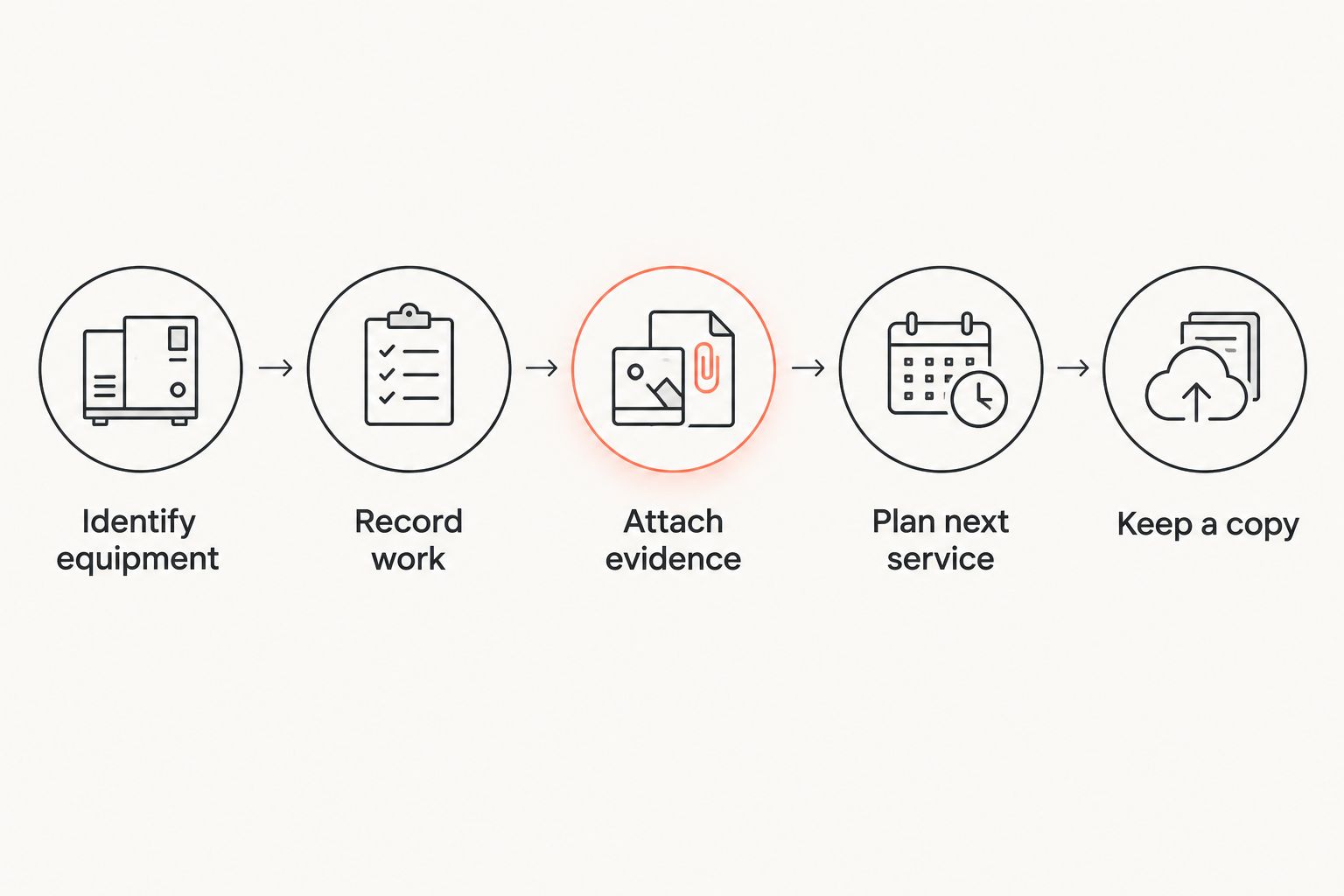
Follow this short sequence:
- Identify equipment: Name the engine or system clearly enough to distinguish it from similar equipment aboard.
- Record work: Describe what was actually completed, including parts or fluids when documented.
- Attach evidence: Connect the entry to an invoice, receipt, or useful photograph.
- Plan next service: Consult the applicable equipment instructions and keep the planned task separate.
- Keep a copy: Preserve a separate readable copy using the options available in your chosen app.
Keep 2 separate lists: completed work and planned work. That simple distinction prevents an intended repair from becoming an apparent part of the boat's service history.
For an evidence-heavy job, check 3 document types: the invoice, the parts receipt, and relevant photographs. Include what exists; do not create the impression that a missing document proves work was completed.
When you enter older work, use the date shown on the source document. If you cannot establish when the work happened, say so in the entry rather than assigning today's date to an old repair.
FAQ
What's the best boat maintenance log app in 2026?
Google Sheets is the best default for an owner-built boat maintenance table. Choose a notebook or vehicle-record platform instead when detailed notes, photos, and ownership history matter more than spreadsheet rows.
Is a spreadsheet good enough for boat maintenance records?
Yes, a spreadsheet can record boat maintenance clearly when each completed job has its own row. Keep equipment names consistent and connect entries to supporting documents.
Is Microsoft Excel better than Google Sheets for a boat log?
Microsoft Excel is the better fit for a desktop-first local workbook; Google Sheets is the better fit for a shared browser-based table. Choose the workflow you will maintain consistently.
What should I record after servicing my boat?
Record the date, equipment, relevant meter reading, completed work, and supporting evidence. Distinguish completed service from a planned task or a part you only purchased.
Can a boat maintenance app tell me when to change the oil?
Use the instructions for your actual engine to establish the oil-change interval. Do not assume a general record-keeping app supplies or validates that schedule.
Which option works for desktop record-keeping without internet?
The Microsoft Excel desktop application can edit locally stored workbooks without an internet connection. Keep the documents you need locally as well, and maintain a separate backup.
Should I log maintenance by date or engine hours?
Record both when engine hours are relevant to the work. Follow the equipment documentation for calendar-based and operating-hour requirements rather than choosing one measurement for every task.
Can I prepare my maintenance log for a future buyer?
Yes, organize completed work and its supporting documents into a readable history. Check the information you intend to share and remove unrelated personal details from document copies.
One last thing
A receipt for a replacement part proves you bought it—not that you installed it. Before adding that purchase to your 2026 service history, record the completed job separately and connect the receipt to it.
Keep purchase date and installation date distinct. That small habit makes your maintenance log more useful than a folder full of invoices.