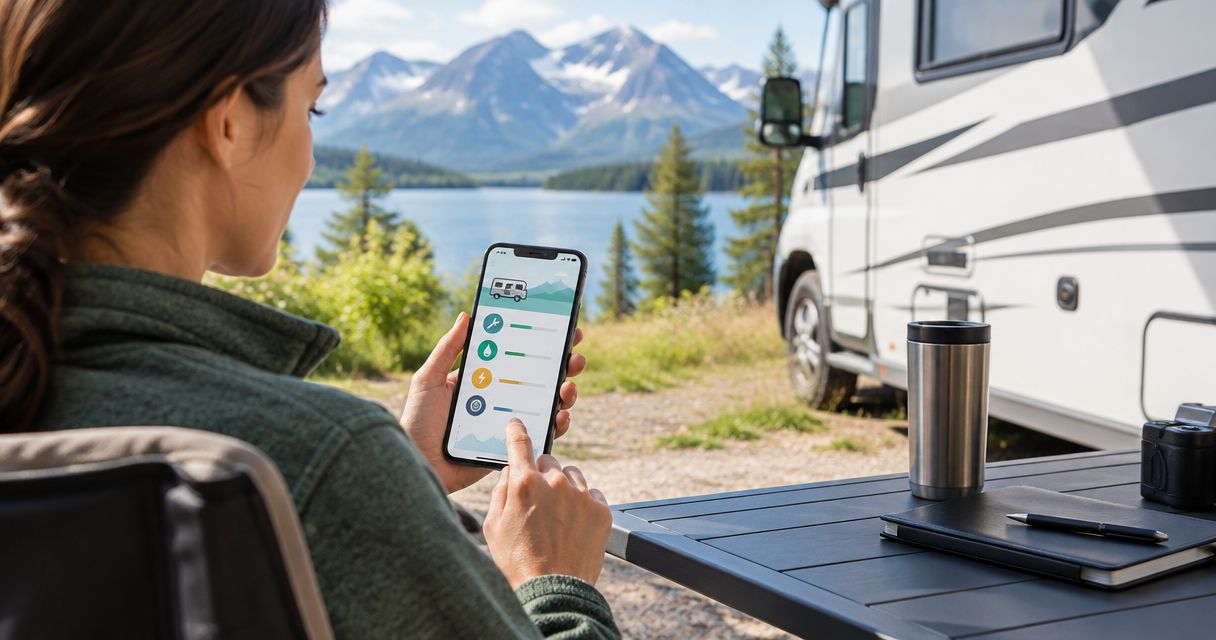
Best overall for a vehicle-history record: Moterno. Best for structured logs: Google Sheets; best for local worksheets: Microsoft Excel; best for quick notes: Apple Notes; best for date-based reminders: Google Calendar. This 2026 guide compares record-keeping and reminder options so you can choose the best RV maintenance tracker app for the way you care for your rig.
- Moterno is the best RV maintenance tracker app for owners who want service history, documents, photos, and stories together.
- Google Sheets suits structured RV maintenance logs; Microsoft Excel suits owners who prefer local workbooks.
- Apple Notes suits quick service notes; Google Calendar suits recurring date-based reminders.
- Keep completed service records separate from future maintenance reminders, whichever option you choose.
Why this matters
Remember when you last checked the roof seals? A reminder tells you when to look again. A service record tells you what you found, what you repaired, and where the receipt went. Your RV needs both kinds of information, but they do different jobs.
An RV maintenance tracker should help you answer practical questions without searching through messages and loose paperwork. What work was completed? At what mileage? Which part went in? Was that repair on the chassis, the generator, or the living area?
For 2026, choose your record-keeping method first and your reminder method second. A calendar full of tasks is not a documented service history, and a folder full of receipts does not tell you what is due next.
What makes the best RV maintenance tracker app?
Use these criteria before choosing a tool. The right option matches your habits, not just a feature list.
- Completed-work records: You need a clear distinction between a task you planned and work you actually finished.
- Supporting documents: Receipts, service invoices, inspection notes, and photos should be easy to connect to the relevant job.
- RV system separation: Chassis service, generator maintenance, and living-area repairs should not become one confusing list.
- Useful readings: Record odometer mileage or generator hours when relevant. A date alone does not describe every maintenance interval.
- Practical upkeep: Choose a method you will update after service, including when a shop does the work.
- Reminder fit: Calendar reminders suit date-based tasks. Mileage-based and hour-based tasks also require current readings.
Before you settle on an option, try recording one completed service job. Include the invoice and a short explanation of the work. If finding that entry again feels awkward, change the setup before adding your entire history.
RV maintenance tracker options at a glance
These are different approaches, not interchangeable RV-specific products. The comparison separates a digital vehicle record from spreadsheets, notes, and calendars.
| Option | Best for | Standout feature | Key limitation |
|---|---|---|---|
| Moterno | Vehicle history and ownership stories | Service history, documents, photos, and stories in a digital garage | The record is only as complete as the information you add |
| Google Sheets | Structured maintenance logs | Sortable rows and customizable columns | You must design and maintain the structure |
| Microsoft Excel | Local maintenance worksheets | Workbook-based organization and calculations | You must manage file versions and backups |
| Apple Notes | Quick notes and supporting photos | Notes with attachments and checklists | Free-form entries are harder to compare across services |
| Google Calendar | Recurring date-based reminders | Scheduled events and recurring reminders | A calendar does not replace a completed-service archive |
The biggest dividing line is simple: do you want to document the RV, analyze maintenance entries, or remember the next task? Start with that answer. Add a second tool only when it serves a separate purpose.
1. Moterno: best RV maintenance tracker for vehicle history
Moterno is a digital garage platform for logging service history, documents, photos, and vehicle stories. That makes it a strong fit when you want your RV's maintenance record to sit alongside the rest of its ownership history. You can also browse or list vehicles in its community marketplace.
Think beyond the oil change. An invoice explains the work, a photo shows the condition, and a short note explains why you chose that repair. Together, those details are more useful than an isolated entry saying service done.
Moterno pros:
- Keeps service history and supporting documents within a vehicle-focused platform.
- Includes photos and stories alongside practical records.
- Fits owners who care about preserving the history of their vehicle, not just checking off tasks.
- Includes a community marketplace for browsing or listing vehicles.
Moterno cons:
- Missing receipts and incomplete entries still leave gaps in the history.
- An ownership story does not replace a manufacturer's maintenance schedule.
- A useful service record requires accurate dates, readings, and descriptions from you.
Best for: RV owners who want a documented vehicle history with service records, receipts, photos, and personal context.
Choose it when: Your main question is what happened to this RV and where the evidence is. Record completed work clearly, and consult the relevant manuals for the next service requirement.
Verdict: Choose for vehicle history.
2. Google Sheets: best RV maintenance tracker for structured logs
Google Sheets is a spreadsheet rather than a dedicated RV maintenance app. You build the log yourself using rows, columns, sorting, and filters. That flexibility suits owners who want to review maintenance by system, service type, or reading.
Start with 4 core fields: service date, RV system, work completed, and relevant reading. Add a document reference and a next-action field if they help. Keep planned work separate from completed work so an unfinished task never looks like a completed repair.
Google Sheets pros:
- Lets you choose columns that match your RV and maintenance habits.
- Supports sorting and filtering across service entries.
- Can separate chassis mileage from generator hours.
- Lets you use formulas for calculations within your log.
Google Sheets cons:
- You must create the structure and keep entries consistent.
- A document reference still needs an organized place for the underlying receipt.
- Incorrect formulas or readings can produce misleading results.
Best for: Owners who like tables and want to compare maintenance entries across systems.
Choose it when: You want to filter for generator service, inspect the sequence of tire records, or calculate the distance between completed jobs. For a mileage comparison, enter 2 odometer readings from the relevant service records; do not substitute a guessed interval.
Verdict: Choose for a structured log; skip if spreadsheet upkeep feels like homework.
3. Microsoft Excel: best RV maintenance tracker for local worksheets
Microsoft Excel gives you a workbook-based approach to RV maintenance records. A locally saved workbook suits owners who prefer working with their own files, while worksheets let you separate different kinds of records.
Use distinct sheets for completed service, upcoming tasks, and a document index. Give the workbook a clear name, and decide which copy is the current one. A carefully designed log loses its value when you accidentally update an older file.
Microsoft Excel pros:
- Supports locally saved maintenance workbooks.
- Lets you organize different record types on separate worksheets.
- Provides sorting, filtering, and formulas for reviewing entries.
- Gives you control over the structure of your maintenance log.
Microsoft Excel cons:
- Local files require a backup routine.
- Multiple copies can create uncertainty about the latest record.
- Workbook formulas need checking before you rely on their results.
Best for: RV owners who prefer a local file and are comfortable managing spreadsheets.
Choose it when: You already keep vehicle paperwork in organized folders and want a workbook to serve as the index. Keep document names consistent with the corresponding service entries, rather than relying on memory to connect them.
Verdict: Choose for local worksheets; skip if file management is your weak spot.
4. Apple Notes: best RV maintenance tracker for quick capture
Apple Notes is a general note-taking tool that supports attachments and checklists. It works as a lightweight capture method when your priority is writing down what happened and adding a supporting photo before you forget.
Use the same opening fields for each service note: date, system, reading, and work completed. Then add the invoice or photo and any questions for the next visit. Consistent headings make free-form notes easier to scan later.
Apple Notes pros:
- Supports short service descriptions without building a spreadsheet.
- Lets you add attachments to notes.
- Supports checklists for inspection observations or follow-up tasks.
- Leaves room for context that does not fit neatly into a table.
Apple Notes cons:
- Inconsistent note titles make the history harder to review.
- Free-form notes are less convenient for comparing service intervals.
- A checklist item needs a separate completion record if you want a clear service history.
Best for: Owners who want to capture a service note and supporting material with minimal structure.
Choose it when: You are more likely to write a short note than maintain a spreadsheet. Separate an observation, such as a seal that needs inspection, from the later record of the repair.
Verdict: Choose for quick capture; skip for detailed maintenance analysis.
5. Google Calendar: best RV maintenance tracker for date reminders
Google Calendar organizes scheduled events and supports recurring events. It is useful for date-based prompts, such as reviewing your maintenance schedule before a planned trip. It is not a substitute for a service log.
Make the event an instruction to check or perform a task, not evidence that the task happened. After completing the work, record the actual date, relevant reading, and supporting paperwork in your main maintenance record.
Google Calendar pros:
- Places maintenance prompts alongside your other scheduled activities.
- Supports recurring date-based events.
- Lets you describe the task in the event details.
Google Calendar cons:
- A date-based event does not track changing odometer mileage or generator hours.
- Moving an event does not document completed service.
- Invoices and repair history need a deliberate record-keeping method beyond reminders.
Best for: Owners who already have a service archive but forget to review upcoming tasks.
Choose it when: You need a nudge to consult your schedule or inspect a system. Set the timing from the relevant manufacturer's instructions, not a generic interval copied from another RV.
Verdict: Choose as a reminder companion; skip as your only maintenance record.
Build a record you can actually use
For your 2026 maintenance setup, separate 3 RV systems: chassis, generator, and living area, where those systems apply to your rig. A towable RV will not have the same chassis service needs as a motorhome, and not every RV has a generator.
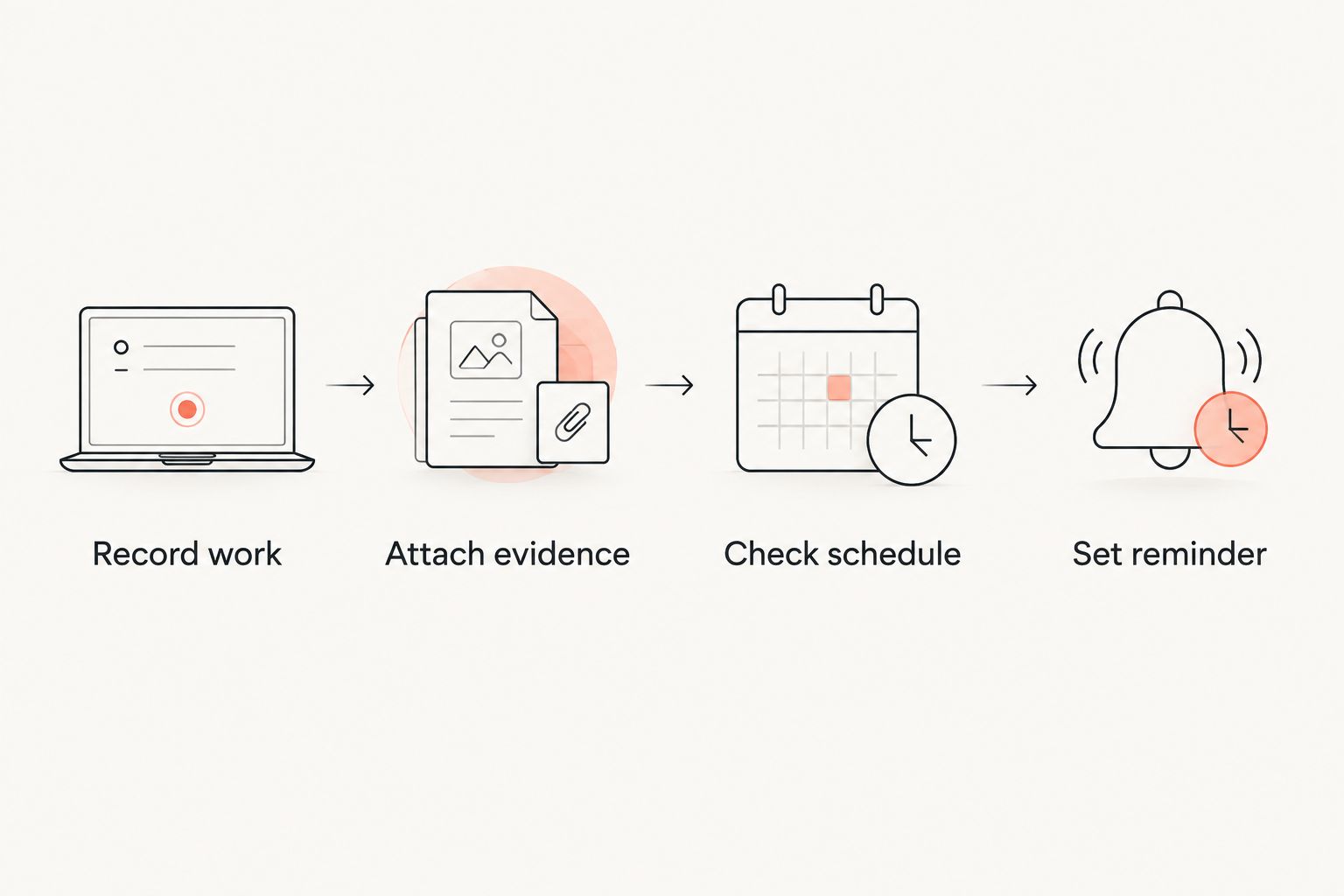
Use this sequence after each service job:
- Record work: Write what was completed, the date, and the relevant mileage or hours.
- Attach evidence: Keep the invoice, receipt, inspection sheet, or useful photo with the record.
- Check schedule: Consult the instructions for the component that was serviced.
- Set reminder: Add a date-based prompt where appropriate, and keep reading-based requirements visible in your log.
Keep an unresolved fault separate from a finished repair. If a shop inspected a leak but did not fix it, record the inspection accurately. That distinction helps you ask the right question at the next visit.
How the options are ranked
This 2026 ranking puts vehicle-history records first, structured logs next, quick capture after that, and reminder-only tools last. The criteria are completed-work records, supporting documents, system separation, useful readings, practical upkeep, and reminder fit.
Moterno leads for documented ownership history because its stated purpose includes service history, documents, photos, and stories. The other options earn distinct recommendations for their established spreadsheet, note-taking, or calendar functions—not for unverified RV-specific features.
Which RV maintenance tracker should you choose?
Choose Moterno as your RV maintenance tracker when preserving the vehicle's service history is your main goal. Choose Google Sheets for sortable records, Microsoft Excel for local worksheets, Apple Notes for quick capture, or Google Calendar to support an existing record with date reminders.
For an undecided owner in 2026, the simplest useful setup is one primary record and one reminder method. Avoid keeping competing service histories in several places. You should always know which record contains the completed work.
FAQ
What's the best RV maintenance tracker app in 2026?
The best choice depends on whether you need a vehicle-history record, a structured log, or reminders. Choose a vehicle-focused record for service documents and photos, a spreadsheet for sortable entries, and a calendar for date-based prompts.
Can I use Google Sheets to track RV maintenance?
Yes, Google Sheets can serve as a structured RV maintenance log. Use consistent fields for the service date, system, completed work, and relevant mileage or generator hours.
Is a calendar enough to track RV maintenance?
No, a calendar alone does not provide a clear completed-service history. Use it for reminders and keep the actual work, readings, and invoices in your main record.
What should I record after an RV service?
Record the date, work completed, relevant mileage or hours, and supporting paperwork. Identify the system involved and distinguish completed repairs from unresolved observations.
Should I track generator hours separately from mileage?
Yes, generator hours and vehicle mileage describe different use. Follow the applicable generator and vehicle maintenance instructions rather than treating those readings as interchangeable.
Is Microsoft Excel better than Apple Notes for RV maintenance?
Microsoft Excel is better for structured comparisons, while Apple Notes is better for free-form service notes and attachments. Choose the method you will update consistently after each job.
How often should I schedule RV maintenance?
Use the maintenance intervals specified for your RV and its individual components. Check whether each requirement depends on elapsed time, mileage, operating hours, or a combination.
One last thing
Before your next trip in 2026, find the record for the last service job you remember. Can you identify the work, the reading, and the receipt without guessing? If not, fix that single entry before trying to reconstruct the entire RV history.
A useful maintenance record starts with one clear, supported entry. Repeat that habit after the next job, and your history becomes easier to trust.