
Best overall for an owner-kept tractor history: Moterno. Best for shared maintenance logs: Google Sheets. Best for detailed calculations: Microsoft Excel. This 2026 guide also covers Microsoft OneNote for workshop notes and Trello for organizing upcoming jobs, so you can choose the best tractor maintenance tracker app for the way you actually care for your tractor.
- Moterno is the best tractor maintenance tracker app here for owners who want service history, documents, photos, and stories together.
- Google Sheets suits shared tractor maintenance logs; Microsoft Excel suits calculations built around engine hours.
- Microsoft OneNote suits illustrated repair notes; Trello suits upcoming maintenance tasks.
- Choose a service-history record first, then check reminders, sharing, and export options against your needs.
Why this matters
Remember when you last changed the oil? The answer gets harder when the receipt lives in a drawer, the filter number sits on your phone, and someone else did the work.
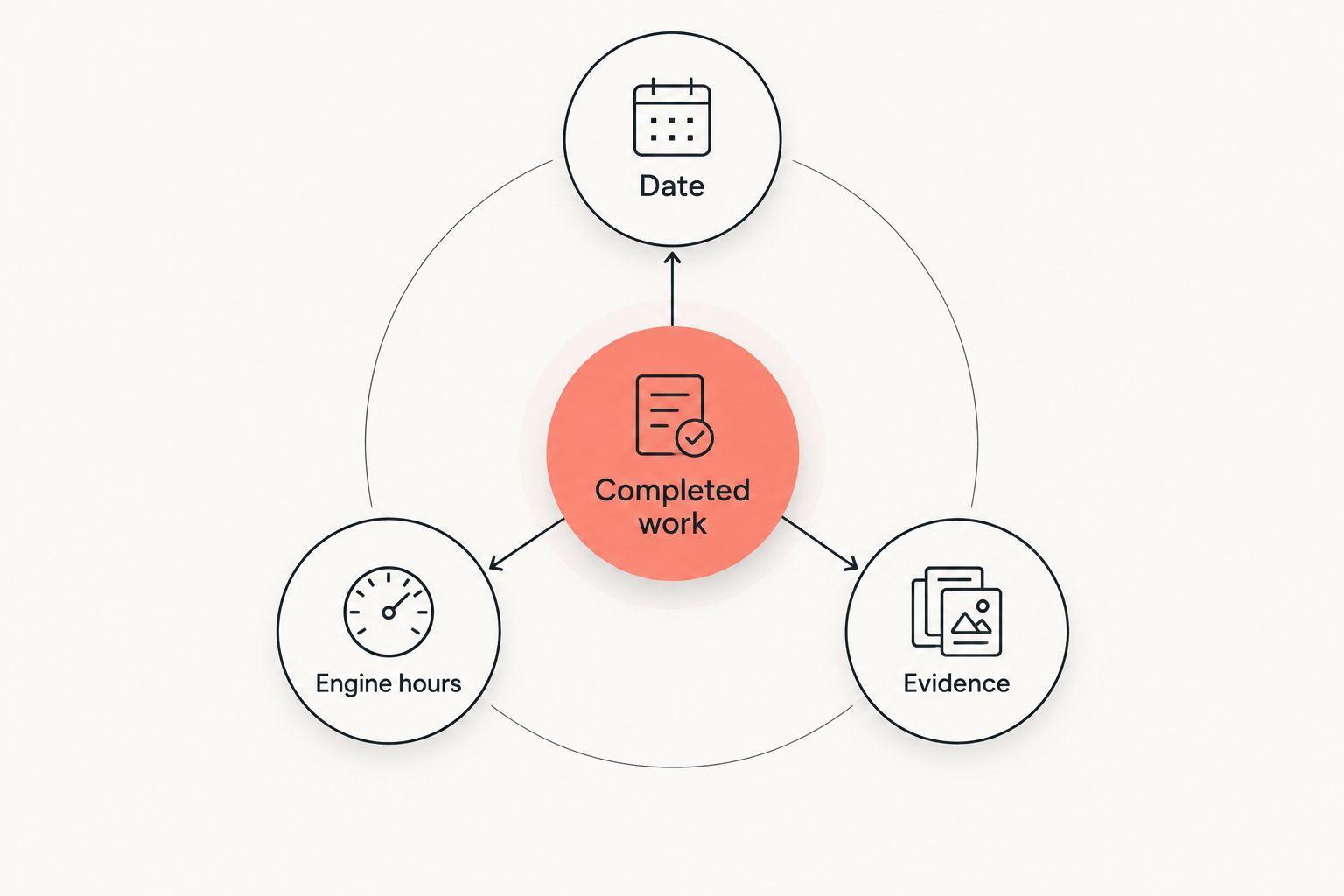
A useful tractor maintenance record connects the job to its date, engine-hour reading, and supporting paperwork. It should tell you what happened, not just what you intended to do.
For your 2026 setup, separate completed maintenance from future tasks. A checked-off reminder does not explain which oil you used, which part you replaced, or what the mechanic found. Keep those details with the service entry.
What makes the best tractor maintenance tracker app?
Choose your tracker against these criteria before choosing a name:
- Completed service history: You need a readable record of work already done, separate from a to-do list.
- Engine-hour context: Record the hour-meter reading when you service the tractor. Use the tractor's manual to decide when work is due.
- Supporting documents: Receipts, workshop invoices, manuals, and photos give a short entry useful context.
- Everyday usability: Pick a format you will update after a muddy afternoon, not just during an organized weekend.
- Shared responsibility: If someone else services the tractor, decide who enters the work and who checks it.
- Record portability: Check how you can retain your information before making any app your only archive.
The best choice in 2026 is the one that keeps completed work understandable. A long feature list cannot fix entries that leave out the date, the job, or the engine-hour reading.
Tractor maintenance trackers at a glance
These options serve different jobs. The general-purpose tools below become tractor trackers only after you build the log, notebook, or task board yourself.
| Option | Best for | Standout feature | Key limitation |
|---|---|---|---|
| Moterno | Owner-kept tractor history | Service history, documents, photos, and stories in a digital garage | Recorded history does not replace the tractor's maintenance schedule |
| Google Sheets | Shared maintenance logs | Editable tables and collaboration | You design the fields and keep entries consistent |
| Microsoft Excel | Engine-hour calculations | Formulas, sorting, and structured worksheets | Calculation accuracy depends on your formulas and inputs |
| Microsoft OneNote | Illustrated workshop notes | Notes, images, and notebook organization | Free-form pages need a consistent service-entry template |
| Trello | Upcoming maintenance jobs | Cards, lists, and due dates | A task board needs extra discipline to preserve service history |
1. Moterno: best tractor maintenance tracker app for owner history
Moterno is a digital garage for keeping service history, documents, photos, and stories about your vehicles. Its stated vehicle scope includes tractors. That makes it a natural fit when your aim is to document the machine you own, rather than build a maintenance spreadsheet from scratch.
Think beyond the latest oil change. A photo of a repair, the invoice for replacement parts, and a note about what prompted the work belong in the same vehicle history. Personal stories also have a place, without needing to stand in for maintenance evidence.
Moterno pros:
- Brings service history and supporting documents into a vehicle-focused platform.
- Includes photos alongside the written record.
- Gives ownership stories a place beside practical records.
- Fits an enthusiast's approach to caring for a particular tractor.
Moterno cons:
- An owner-entered history is not independent verification of the tractor's condition.
- Keeping a record does not determine the correct maintenance interval; that comes from the applicable manual.
- The archive only tells the story of the work you actually document.
Best for: Moterno is best for tractor owners who want service history, documents, photos, and ownership stories together.
Verdict: Buy into this approach for a vehicle-centered archive. Keep maintenance entries factual, and put memories in their own context so a future reader can tell the difference.
2. Google Sheets: best tractor maintenance tracker for shared logs
Google Sheets gives you a table that multiple people can edit. Set up columns for the tractor, service date, engine-hour reading, completed work, parts used, and the location of supporting documents.
This approach suits a household or small working group where different people handle maintenance. Everyone works from the same structure instead of sending separate messages that someone must later piece together.
Use 1 row per completed service event. If a job needs a longer explanation, keep the row readable and point to the supporting note or document. Do not squeeze an entire repair story into a column meant for a part number.
Google Sheets pros:
- Shared editing supports a common maintenance log.
- Named columns make gaps in an entry easy to spot.
- Sorting and filtering help you review a particular tractor or service type.
- You can change the structure as your record-keeping needs change.
Google Sheets cons:
- You must design the maintenance template yourself.
- Inconsistent wording makes sorting and filtering less useful.
- A spreadsheet can scatter supporting paperwork unless you organize document references carefully.
Best for: Owners who want several people to contribute to a straightforward tractor maintenance log.
Verdict: Buy into Google Sheets for shared entries. Agree on the column names and entry rules before inviting everyone to add their own version of the same information.
3. Microsoft Excel: best tractor maintenance tracker for calculations
Microsoft Excel suits owners who want to calculate differences between engine-hour readings and organize maintenance records in worksheets. Its formulas, tables, and sorting tools let you build a record around the questions you need to answer.
For example, you can calculate the engine hours accumulated since a recorded service. That calculation is useful only when the meter readings are accurate and the service requirement comes from the correct manual.
Keep recorded facts separate from calculated results. The date and hour reading are observations; a due-service calculation is an interpretation of those observations. Label each clearly so a formula does not look like evidence that work was completed.
Microsoft Excel pros:
- Formulas support calculations based on recorded engine hours.
- Structured tables organize repeated service entries.
- Sorting helps you review maintenance by date, machine, or job.
- Separate worksheets can hold different kinds of supporting information.
Microsoft Excel cons:
- An incorrect formula can produce an incorrect maintenance calculation.
- You must build and maintain the workbook structure.
- Multiple saved versions can create uncertainty about which record is current.
Best for: Owners comfortable with spreadsheets who want to inspect and control their maintenance calculations.
Verdict: Buy into Microsoft Excel for calculation-heavy records. Keep a clearly identified master workbook and check formulas whenever you change the layout or maintenance rules.
4. Microsoft OneNote: best tractor maintenance tracker for repair notes
Microsoft OneNote organizes notes and images in notebooks, sections, and pages. It fits repairs that need explanation: what you noticed, what you inspected, what you changed, and what happened afterward.
A notebook is especially useful when a photograph explains something a short spreadsheet entry cannot. You can keep the written observation beside the image rather than leaving the reader to guess what the picture shows.
Give every service page the same opening fields: tractor identification, service date, engine-hour reading, and completed work. Then add the longer story below. Consistent page titles help distinguish a finished repair from a question you are still investigating.
Microsoft OneNote pros:
- Combines written notes and images on a page.
- Notebook sections provide a way to group related records.
- Longer explanations do not need to fit inside spreadsheet cells.
- A reusable page structure keeps repair accounts readable.
Microsoft OneNote cons:
- Free-form notes do not impose consistent maintenance fields.
- Comparing service events takes more organization than reviewing table rows.
- Observations and completed work can become mixed together without clear labels.
Best for: Hands-on owners who want detailed workshop notes and illustrated repair accounts.
Verdict: Buy into Microsoft OneNote for repair detail. Use a repeatable entry format so the notebook remains a history, not a pile of disconnected observations.
5. Trello: best tractor maintenance tracker for upcoming jobs
Trello organizes work with cards and lists, with due dates available for tasks. You can create a maintenance board with lists such as Planned, In progress, and Completed.
This is a different job from maintaining a vehicle archive. A card helps you organize the next task; a completed service record explains what actually happened. Keep that distinction visible.
When you finish a job, add the completion date, engine-hour reading, work performed, and supporting-document reference before moving the card to Completed. A card titled oil change is not enough to establish the details of the service.
Trello pros:
- Lists make task status visible.
- Cards give each maintenance job its own place.
- Due dates support calendar-based task planning.
- A board can separate planned work from completed work.
Trello cons:
- Moving a card does not automatically create a detailed maintenance record.
- Calendar dates do not establish engine-hour service requirements.
- Finished work needs a consistent documentation routine to remain useful as history.
Best for: Owners who want a visual list of upcoming tractor jobs and a clear completion workflow.
Verdict: Buy into Trello for task organization. Keep a detailed service archive alongside the board if completed cards do not give you the history you need.
How these tractor maintenance trackers rank
This 2026 ranking separates vehicle history, shared entry, calculations, repair notes, and task planning. The criteria are the record itself, supporting evidence, everyday usability, shared responsibility, and your ability to retain the information.
The order favors an owner-kept vehicle history because that is the core job of a maintenance tracker. The spreadsheet, notebook, and board options earn their places through distinct uses, not through a claim that every owner needs them all.
Before committing, check any feature that matters to your routine, including reminders, exports, document handling, and access for other people. Choose against your actual requirements rather than assuming a general-purpose tool behaves like a dedicated maintenance system.
Build a tractor record you can understand later
Start with 1 tractor and its latest documented service. Establish a useful entry format before sorting through every old receipt.
Use these fields for each completed job:
- Date: When the work happened, not when you entered it.
- Engine hours: The meter reading at service, with any uncertainty stated.
- Completed work: What was actually inspected, adjusted, repaired, or replaced.
- Evidence: The receipt, invoice, photograph, or workshop note that supports the entry.
Keep 2 copies of important documents in separate locations. Your chosen tracker can organize the history, while a separate copy preserves paperwork outside that record.
Do not fill gaps with guesses. If an old invoice has a date but no engine-hour reading, record what the invoice shows and leave the uncertainty visible. A clear gap is more useful than a precise-looking entry you cannot support.
Which tractor maintenance tracker should you choose?
Choose a vehicle-centered digital garage if your main goal in 2026 is a lasting owner history. Choose Google Sheets when shared entries matter most, or Microsoft Excel when you want to manage the calculations yourself.
Microsoft OneNote fits detailed repair notes. Trello fits the next job. Neither format removes the need to record completed work clearly.
Start with the latest service and its paperwork. You will learn more from creating that entry than from comparing features you never use.
Start your tractor's story
Keep service history, documents, photos, and ownership stories in a digital garage.
FAQ
What's the best tractor maintenance tracker app for shared records?
Google Sheets is the strongest fit in this comparison for shared, structured entries. Set consistent columns and decide who records each completed service.
Should I track tractor maintenance by hours or dates?
Record both the service date and the engine-hour reading. Use the applicable tractor manual to determine whether a particular job follows an hour-based interval, a calendar interval, or another requirement.
Is Microsoft Excel better than a maintenance notebook?
Microsoft Excel is better suited to calculations and structured comparisons; a notebook is better suited to long repair explanations. Choose the format that matches the information you need to review.
Can I use Trello to track tractor maintenance?
Yes, Trello can organize planned and completed maintenance tasks. Add the actual completion details and supporting-document references so a finished card remains useful as a service record.
What should I include in a tractor service entry?
Include the service date, engine-hour reading, completed work, and supporting evidence. Identify the tractor clearly and distinguish confirmed details from uncertain information.
Can a digital maintenance log replace my tractor manual?
No, a digital maintenance log records work; the tractor manual provides the applicable service instructions and schedule. Keep access to both.
How do I handle missing tractor service history?
Record only the history you can support and make gaps explicit. Start documenting current work rather than inventing dates, meter readings, or repairs for older entries.
One last thing
Photograph the hour meter when you document a service. Keep that image with the receipt and your written entry so you can check what you recorded later.
For your 2026 record, also note an hour-meter replacement or a known meter problem. The reading is useful context, but it needs an explanation when it no longer represents a continuous history.